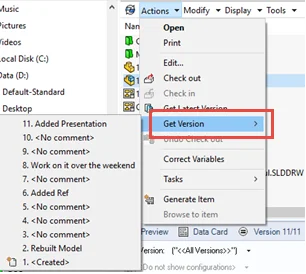

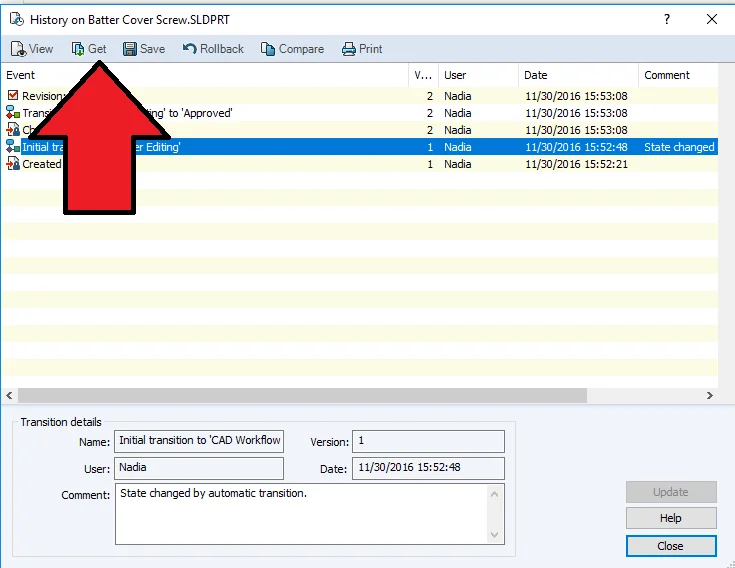
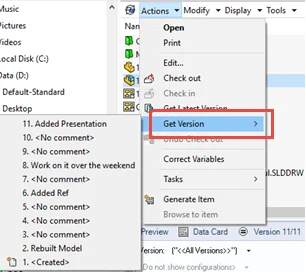
Have you tried to cache an older version of a file and couldn’t find the ‘Get’ command in SOLIDWORKS PDM? It can be challenging for a PDM Admin to enable this option for a group/user after the vault is initially implemented. The reason behind this is there isn’t an ‘Enable Get Command’ checkmark box that an Admin can select. This command is only available for users when multiple options in the Administration tool are set together. So what can you do? Let’s review the options a PDM Admin must set appropriately before the user has access to ensure this command is available.
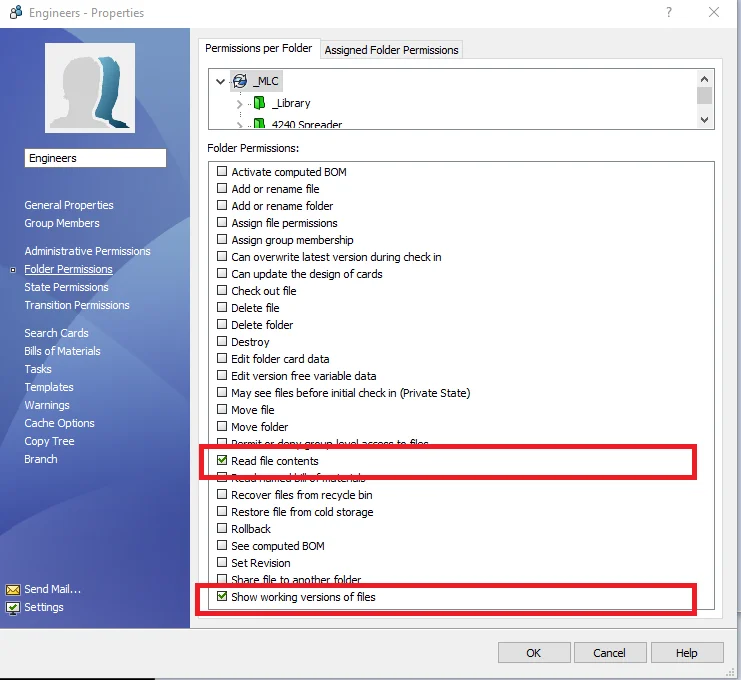
On the Group/User, under ‘Permissions per Folder’ link on the left, select:
- Read file contents
- Show working versions of files
- Note: this option is especially critical for those files that are not revision controlled; typically PDFs
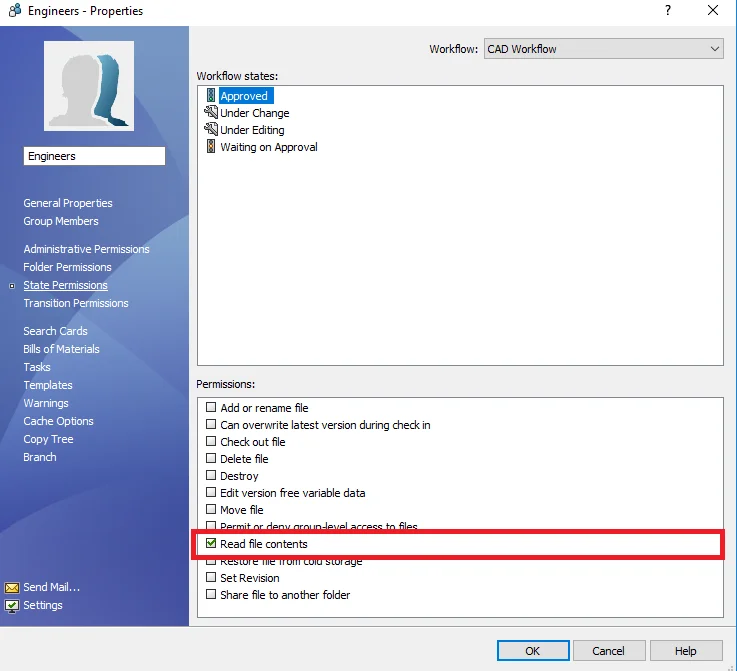
On the Group/User, under ‘State Permissions’
- Read file contents
The most important tip here is for the Admin to understand the type of file the user wants to see. Would they like to see the older versions and the many workflow states the file may have previously gone through?
For example, if the file has gone through the ‘Under Editing’ state and the user/group cannot ‘Read file contents’, they will be unable to see any version of any file, while it remained in that state. In some cases, it’s appropriate to disallow users from seeing those versions, therefore, they must be aware that they do not have access to those versions.
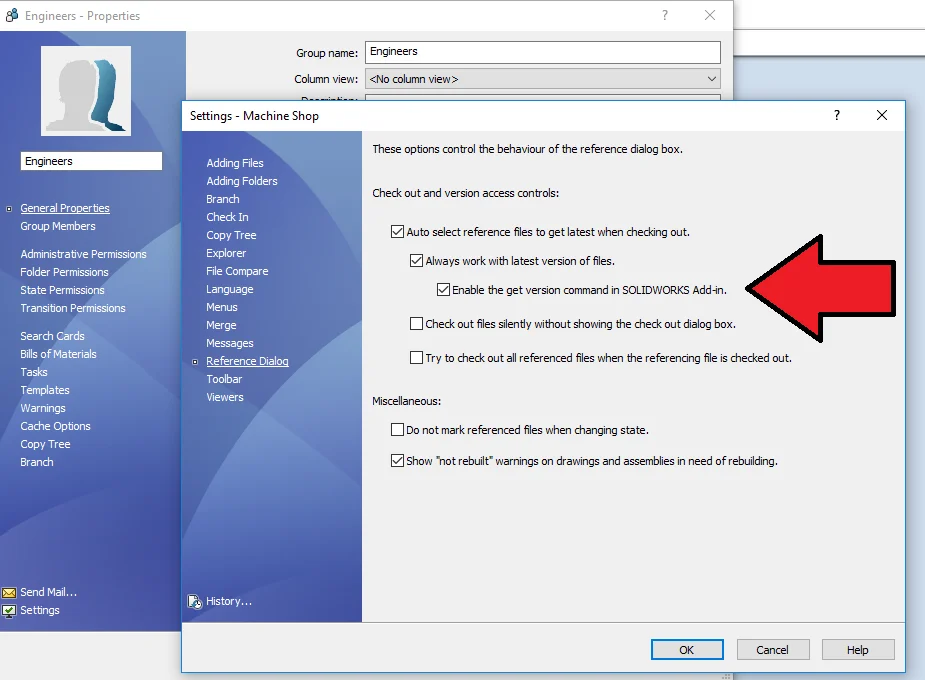
On the Group/User, under ‘Settings under Reference Dialog’ link on the left, select:
- ‘Always work with latest version of files’ should be turned OFF
This is the primary setting for the ‘Get Version’ command, but this will not work without establishing all other required settings listed above. If the PDM vault Admin has opted to compel their SOLIDWORKS users to ‘Always work with latest version of files’, they may want to consider ‘Enable the get version command in SOLIDWORKS Add-In’.