Author: Justin Williams, Javelin Technologies
SOLIDWORKS PDM Duplicate file name can be a problem, but there are a few options for handling duplicates, all of which are accessible via:
- Administration Tool > [Vault Name] > File Types > [Right-Click] > ‘Duplicate file name settings’
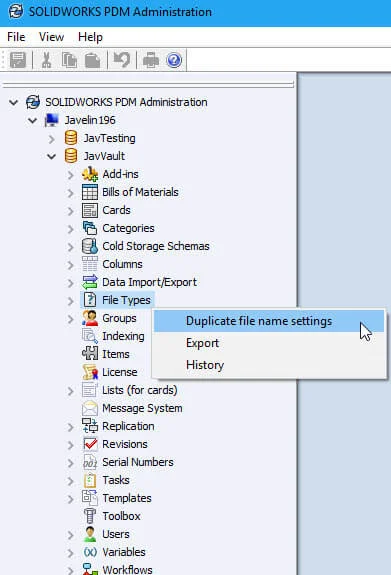
Lets take a closer look at each option…
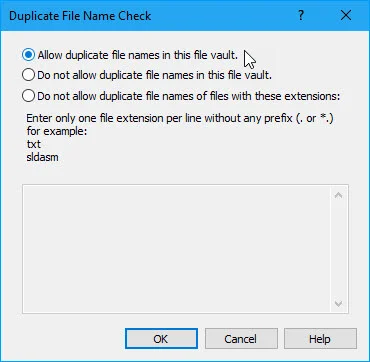
Allow duplicate file names in this file vault
This is a free-for-all…no limitations. The vault can have duplicate filenames of any file type as long (as they’re not within the same a folder).
Allow duplicate file names
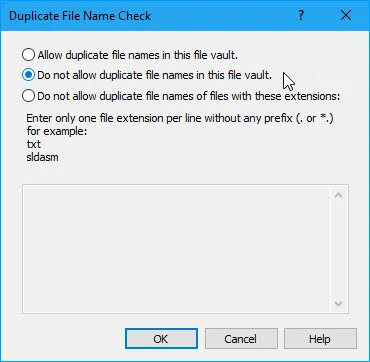
Do not allow duplicate file names in this file vault
Lock down. This prevents any duplicate filenames for any file regardless of extension. For example users will be prevented from creating and checking in both lightbulb.sldprt and lightbulb.slddrw
Do not allow duplicate file names of files with these extensions
This prevents users from creating and checking in duplicate filenames for specific extensions. Note; The extensions must be defined one per line and without any prefixes.
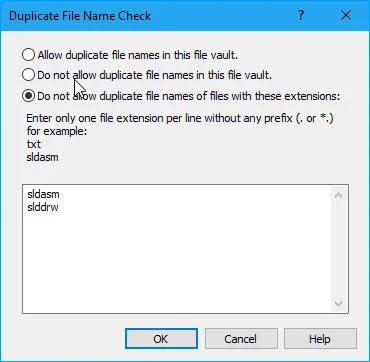
For example with the above entries, users will be blocked from having lightbulb.sldasm or lightbulb.slddrw in two places anywhere in the vault (no limitations on .sldprt).
SOLIDWORKS PDM Duplicate file name alternative solution
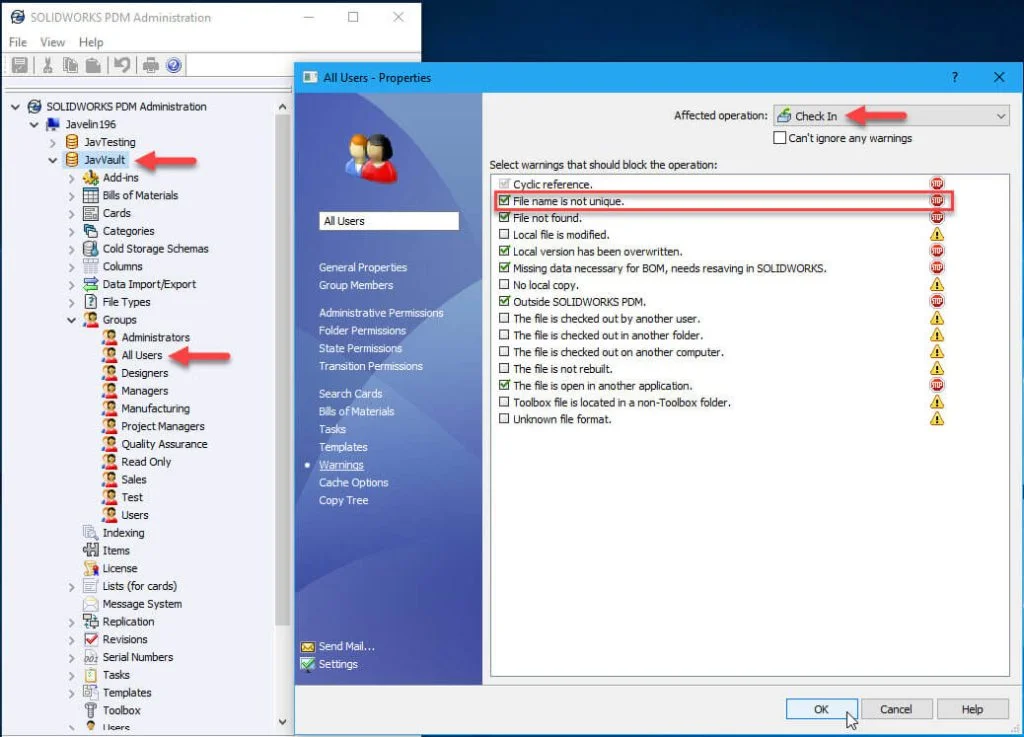
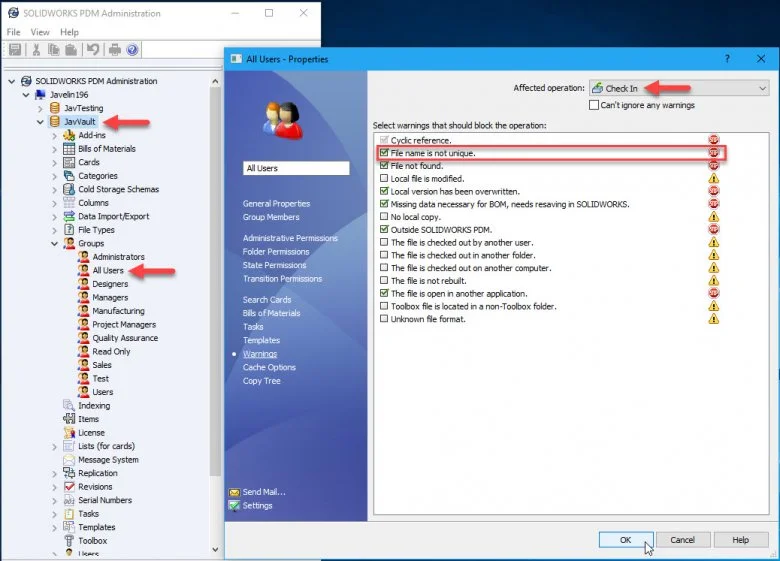
An alternative solution is to block files from being checked in unless the file name is unique via groups:
- Administration Tool > Groups > [Group Name] > Warnings
- Affected Operation = Check In
- Check ‘File name is not unique’
- Affected Operation = Check In

Javelin Technologies