Have you installed SOLIDWORKS 2020 yet? As a Subscription Services member, you can now immediately download the latest new software releases and service packs. For a list of all your Subscription Service benefits, Click here.
We’re constantly improving and upgrading our software. Whether it’s a bug fix to increase performance and reliability, a community-requested enhancement, or patching in new functionality and supported file formats, SOLIDWORKS is always evolving.
Let’s check out the top 10 new features for SOLIDWORKS CAD 2020:
10. Connected Design-to-Manufacturing Ecosystem in the Cloud
Enable Seamless product development workflows and easily extend them with new tools as your business needs evolve. To learn more, check out the video below:
- Drag and Drop into SOLIDWORKS: Drag a non-native SOLIDWORKS file into an active part or assembly.
- New File Types: Work with BREP data from DXF™/DWG files and IFC files.
6. Improved Design Experience
Save time and simplify design tasks.
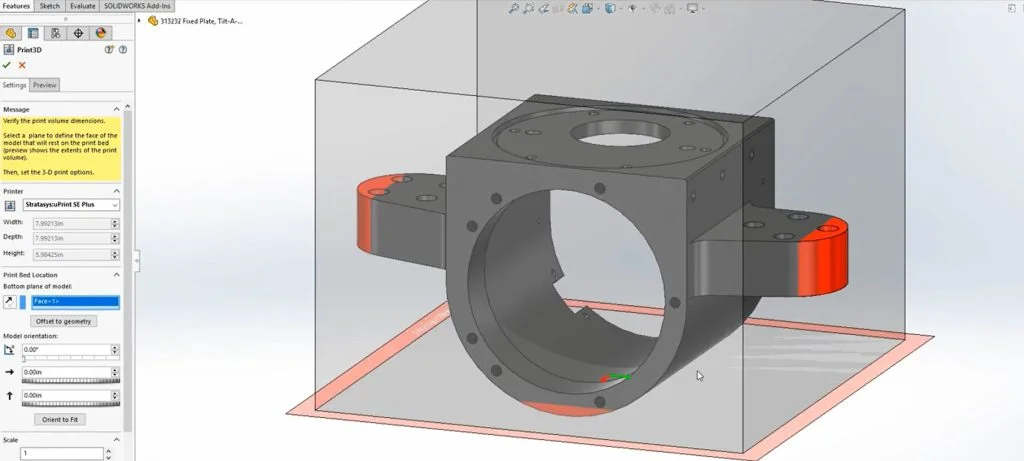
- 3D Printing: Access an extensive list of commercially available 3D printer volumes and create slices for 3D printing directly from SOLIDWORKS® geometry. Save time and simplify your design tasks with this feature.
Tune in Friday for Part 2 of our top 10 SOLIDWORKS CAD 2020 features. For a list of all your Subscription Service benefits, Click here.


Josie Morales