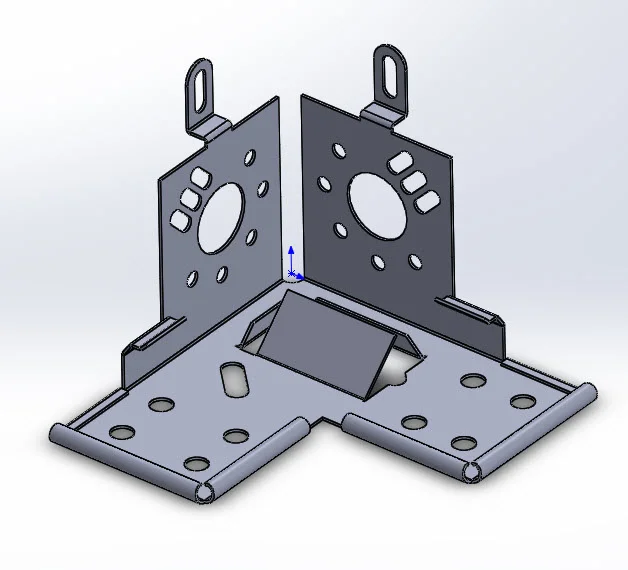
Complex Sheet Metal Part 4: This feature distinguishes that this is sheet metal part. It specifies the bend radius, wall thickness and K factor. Sheet metal features are used so that the part can be flattened out to create a flat pattern. A symmetric cut will help mirror the body downstream in the model creation. It is important to make sure the model can be flattened out. Do so by periodically checking the flat pattern, especially after adding Edge and Miter Flanges. Did you enjoy this tutorial? Check out Part 1, Part 2, and Part 3 of the Complex Sheet Metal Part Reviewer tutorial series to learn more.
Download: Complex Sheet Metal Part 4 Complexity: Complex Features: Symmetric Cut, Edge Flange, Miter Flange, Rolled Hem, “Bend Outside” option
View all the Part Reviewer Tutorials here.
DraftSight Download: In conjunction with DraftSight, Dassault Systèmes’ 2D CAD product, the 2D drawing(.dwg) file of the Complex Sheet Metal Part 4 tutorial is now available for download here.

solidworks