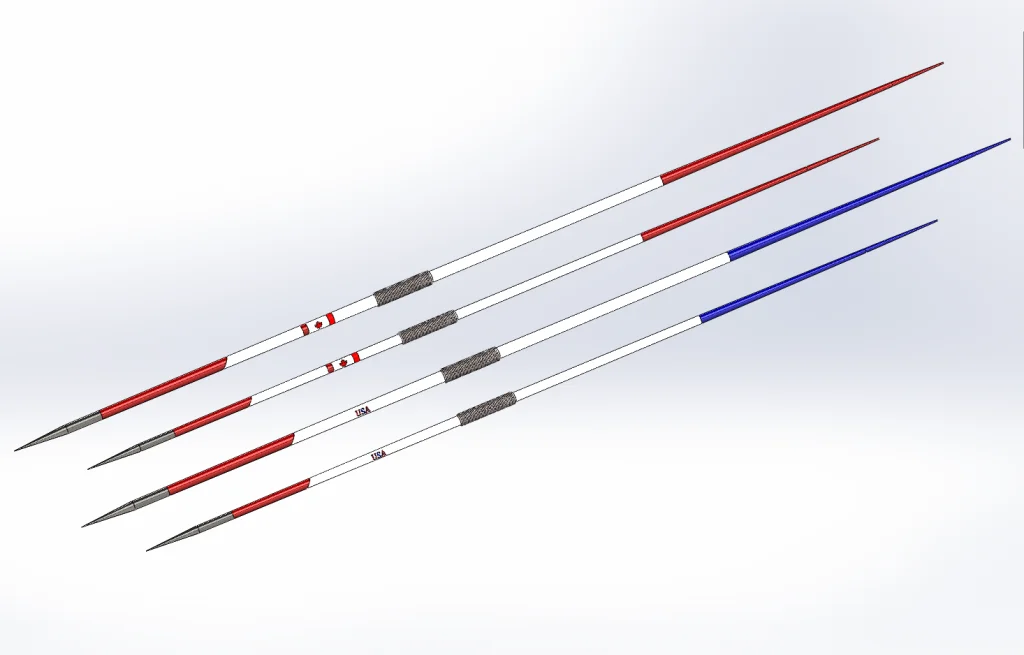
Javelin: As we get ready for the Olympics in Rio, this part shows functionality to help get your design intent across to downstream users. This part has several equations to help drive the different sizes of the javelin. This part has a design binder that contains a document with two pictures showing where all the dimensions came from. This part has two different sizes for men and women’s competition. There is a center of gravity feature that is used to correctly locate the handle. There are two different color schemes set by using configurations and display states, one is red and white and the other is red, white and blue. This part has several examples of split features including two to create different logos. The grip was created by an easy to understand helical sweep. Download this file to get educated on how to use equations and add a attachments to your parts.
Download: Javelin Complexity: Moderate Features: Helical Sweep, Split, Equations and Attachments
View all the Part Reviewer Tutorials here.
DraftSight Download: In conjunction with DraftSight, Dassault Systèmes’ 2D CAD product, the 2D drawing(.dwg) file of the Combadge is now available for download here.


solidworks