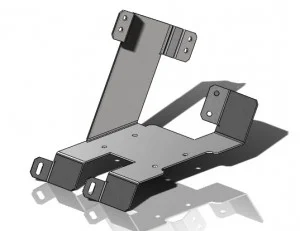
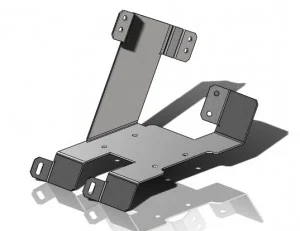
Mounting Bracket: This basic shape was created using the thin extrude feature in order to mimic sheet metal features. This method is used because it is easier to model this part with the thin feature extrudes than with the sheet metal features. It also means that the part is not locked down to one manufacturing method.
By converting to sheet metal at the end, the sheet metal feature can be deleted or suppressed without altering the geometry of the part or requiring it to be completely remodeled if it is later determined that it could be economically replaced with a die-casting or other manufacturing process.
Download: Moderate- Mounting Bracket Complexity: Moderate Features used: Rib, Mirror, Cut Extrude
Learn more on using the SolidWorks Part Reviewer. Want to learn more about SolidWorks or get a hands-on trial? Complete the form below to get started.

SOLIDWORKS