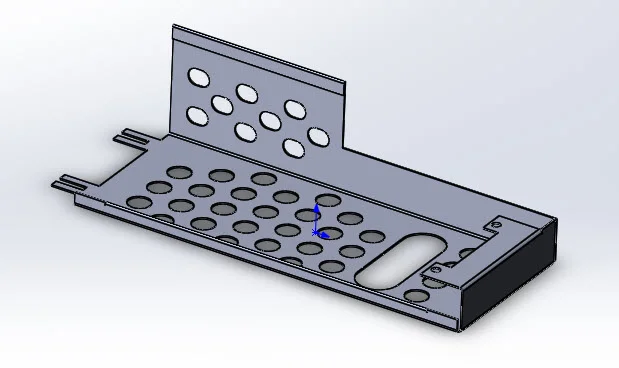
Simple Sheet Metal Part 4: Start off with flat plate and then add edge flanges. Sheetmetal features are used so that the part can be flattened out to create a flat pattern. Modified sketch to include large rectangular cutout instead of using separate extruded cut feature. Check out part 1, part 2, and part 3 of this Part Reviewer tutorial series to learn more!
Download: Simple Sheet Metal Part 4 Complexity: Basic Features: Sheet Metal, Base Flange, Edge Flange, Mirror, Pattern Grid
View all the Part Reviewer Tutorials here. l
DraftSight Download: In conjunction with DraftSight, Dassault Systèmes’ 2D CAD product, the 2D drawing(.dwg) file of the Simple Sheet Metal Part 4 is now available for download here.

solidworks