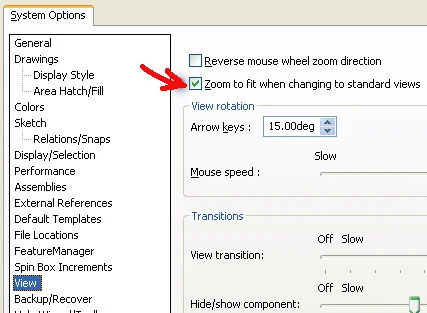

When using standard views in SolidWorks from the Orientation dialog via SPACEBAR, the resulting view of the model is normally Zoom to fit. This is regardless to the zoom level of the current view. So, if I’m zoomed in to look at a specific feature on a very long part, when I change from Front View to Rear View, the model will be resized to fit to screen. This might be unexpected in some cases, as it requires extra steps to return to the area where I was working on the model.
There is an alternative in SolidWorks. A toggle setting is available under Tools>Options…>System Options>View. Unselect the Zoom to fit when changing to standard views option. When using standard views, you will no longer be presented with a model that is Zoom to fit automatically.
Zoom to fit when changing to standard views