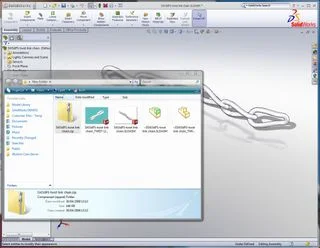

I love tips that make simple things even easier… here is one I found on Rob Jenson’s Blog a few weeks ago
https://www.robjensenblog.com/2009/03/03/tip-of-the-week-zip-files/
I found this really use full just 10 minutes ago when I downloaded a file from 3D Content Central… When you download a model to your PC the default is a .zip file
Rather than unzipping the files… boring!!

Just drag the zip into SolidWorks
SolidWorks will unzip the files and open them!! If there are any files SolidWorks cannot open (spec sheets etc) you will get a message telling you what cannot be opened!