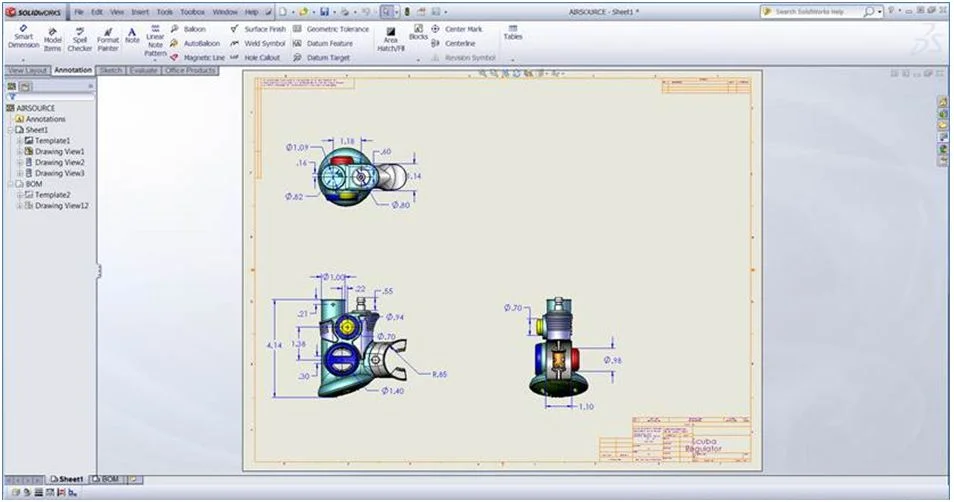

I’ve had a couple of customers asking me recently about the possibility of showing different sheets from the same drawings file at the same time on screen.
It is possible by following the following process.
Firstly open the document that has more than one sheet that you would like to view.
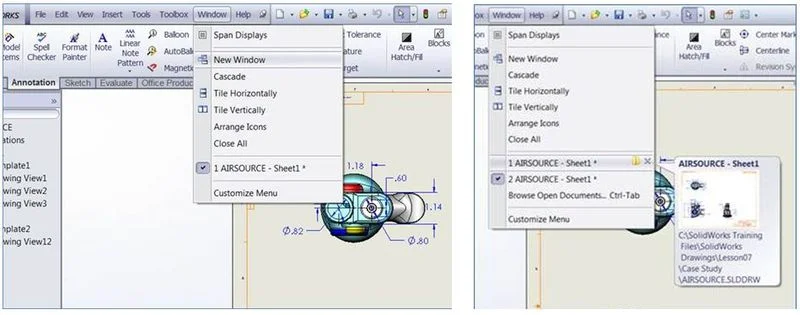
Go to Window – New Window – this will basically open a duplicate window
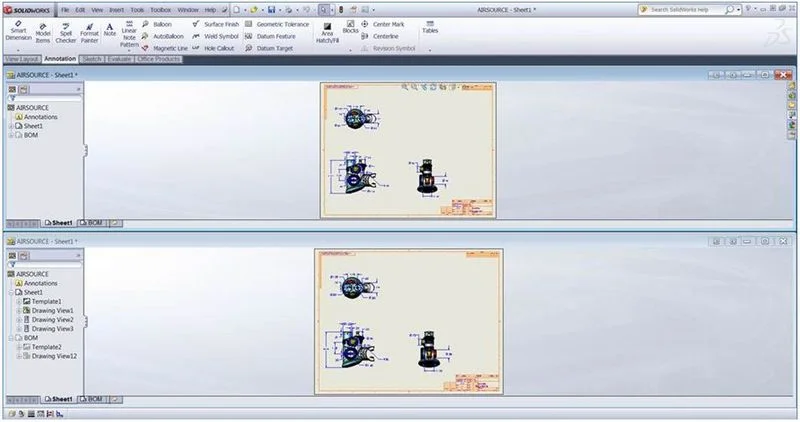
You can then use Window – Tile Horizontally/Vertically to see both of the windows.
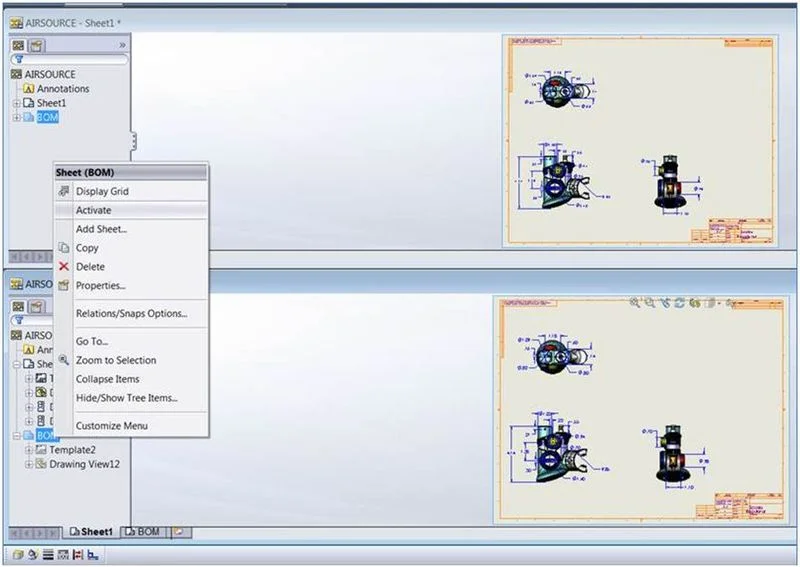
Once you can see both of the windows, it is simply a case of selecting one of them and activating the alternate sheet.
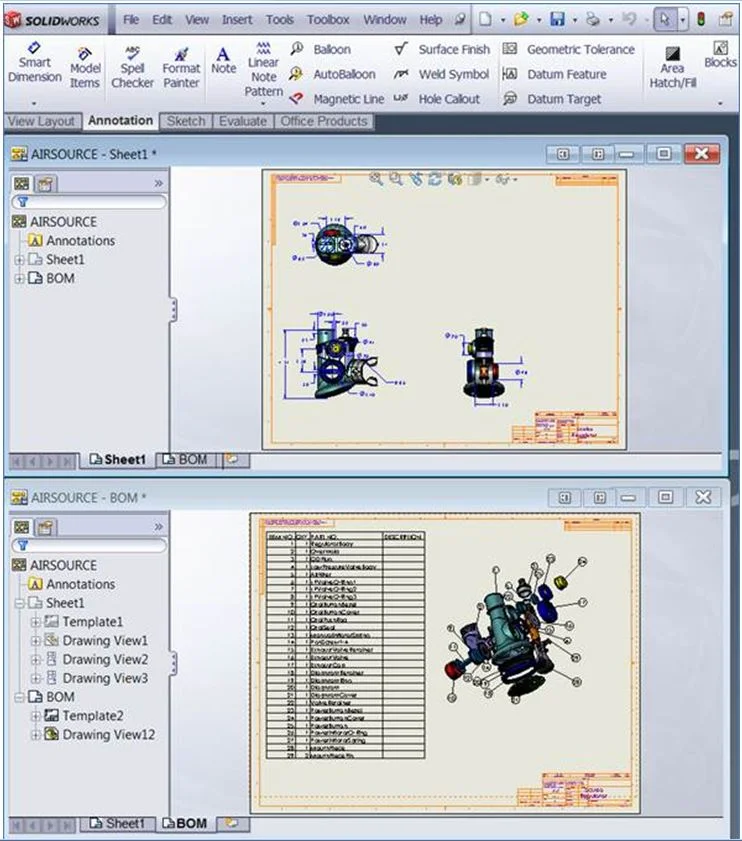
As a small note, this will function in the same as having other linked files open. This means that if you make a change on one sheet, it will automatically translate that change in the other window.
A good example of this is shown in the image above. There are two windows of the same file open, each are showing different sheets. However by making the BOM sheet active in the second window, it also activates, (but doesn’t show) in the other window.
***
Duncan Crofts is an Applications Engineer & CSWE at TMS CAD Centre, a SolidWorks Value Added Reseller in Scotland. He is a regular contributor to the TMS CAD Centre blog.
Want to try out SolidWorks? You can request a free SolidWorks trial on our website.
Want to see how SolidWorks can help you win new business and get to market faster? Request a SolidWorks demo today.