SOLIDWORKS 2024 is here, and so is the update for the SOLIDWORKS browser-based design roles! The R2024x GA (General Availability) update features a little something for everyone, including makers. From the ability to quickly view the status of a part in the new Information Session panel, 2D authoring, the ability to create jog bends in sheet metal designs with one command and more.
This blog will cover enhancements for the following roles: 3D Creator, 3D Sculptor, 3D SheetMetal Creator, 3D Structure Creator, 3D Mold Creator, and Manufacturing Definition Creator.
USER EXPERIENCE
Improving the user experience and addressing your requests is always a priority. In this update you will find many user requests and enhancements that focus on making your design workflow easier and faster, including:
Hidden State Management – achieve greater control and flexibility when managing the visibility of items in the product hierarchy.
This one is a great productivity enhancement. There’s a new command in the Context Toolbar that will save you time and effort by using the “Show with dependents” option, which instantly reveals all hidden sub-components within the selected physical product. In addition, you have the flexibility to set a hidden child item to “Show” without having to first show the parent item. Simplify your workflow for multiple items by using multi-select to hide/show all with just one click.
Revamped Welcome App for Makers – find tailored content for makers.
Those who have the Maker Offer will find more customized content in the Welcome App. Explore videos and content designed exclusively for makers, including a step-by-step tutorial on sharing your creations within the Made in 3D public community. Experience a customized learning path designed to empower your creativity and propel your projects forward.
PART & ASSEMBLY DESIGN
You’ll find many enhancements for part and assembly design that will help you work faster and smarter including:
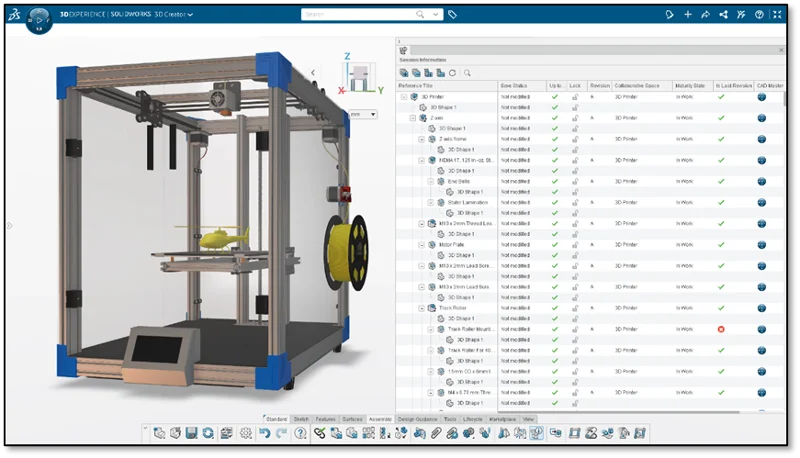
New Session Information Panel – quickly assess the status of all your components in your assembly.
Quickly check the status of components in the new Session Information panel to identify things such as lock status, revision, maturity status, owner, and ensure that you’re working with the latest revision.
Fully Constrain Sketch Entities with the AI-powered Sketch Helper – eliminate repetitive sketching.
The Artificial Intelligence (AI) features in the browser-based design roles are some of the biggest time savers so be sure you are taking advantage of them. In the latest update, the Design Assistant Sketch Helper includes an additional option to automatically fully constrain newly generated sketch entities. New options to create external dimensions drastically improves the time it takes to achieve a fully defined sketch. When you use the Sketch Helper just click the Constraints and Dimensions option to achieve this.
New Screw Joint Command – create more accurate and realistic mechanisms.
There’s a new Screw Joint command that enables you to easily create the necessary mates to simulate a screw joint between two components in an assembly, giving you a more realistic mechanism. You can use this for lead screws, adjustment knobs, and threaded fasteners, to ensure a more precise representation of mechanical mechanisms.
This command will help you achieve greater accuracy and efficiency in your designs overall, empowering you to create complex mechanical systems.
Import STEP File as Multibody – maintain an organized product structure.
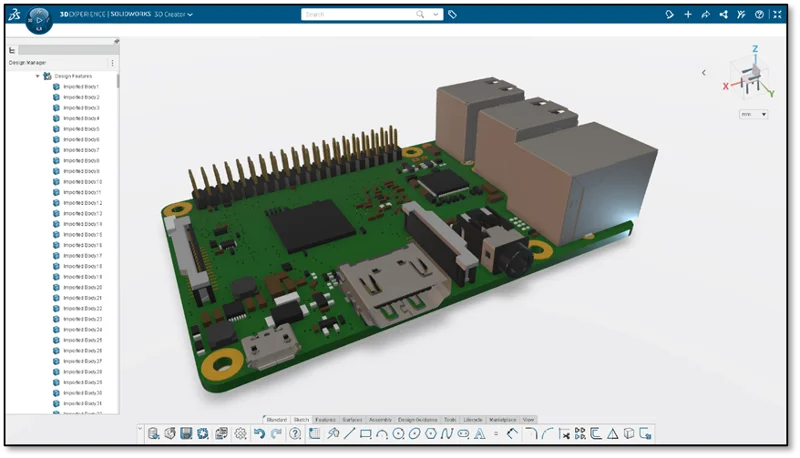
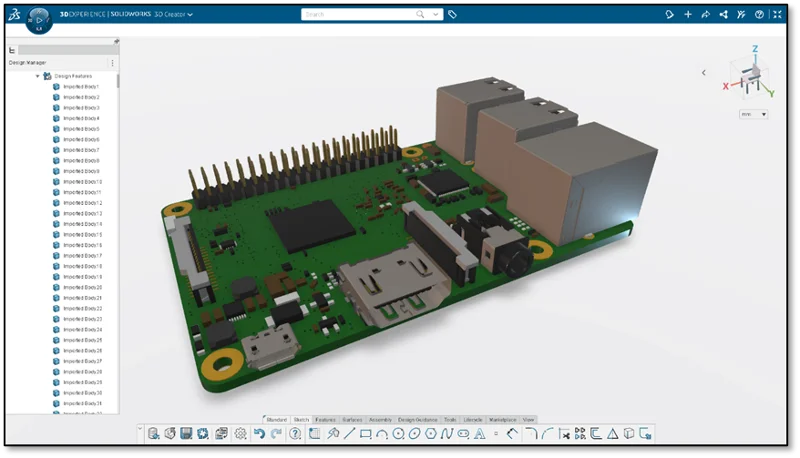
You all asked for this one and can now import STEP files as a multibody component, so you can keep your Collaborative Space organized and clutter free. This is especially useful when designing electronic enclosures.
Design and Export Lattice Geometry – optimize your parts for 3D printing with new options.
In the last update we added the ability to measure lattice geometry created in the Lattice Designer role in xDesign using the Weight Properties command. We continue to expand the capabilities to better evaluate your lattice geometry and you can now use the interference detection tool to detect and resolve potential interferences between lattice and parametric components early in the design process, ensuring design integrity and minimizing assembly issues.
In addition, you can export lattice geometry to STL format to prepare your parts for 3D printing and specify how fine or course you’d like the resolution.
Watch the video above to see how you can define key manufacturing workflows with intuitive 2D authoring capabilities and more in Manufacturing Definition Creator.
That sums up the latest and greatest. If you’re not using all these roles, you can get them all for a rocking deal in the SOLIDWORKS Cloud Offer. They work seamlessly together, and you can easily switch between roles without having to close and open each one with features like the Switch app.
Make sure you’re up to date on all the new enhancements, and see the last update in this blog and stay tuned for a blog on the top ten enhancements of the year coming soon! Stay on top of all the updates to 3DEXPERIENCE Works roles at: https://solidworks.com/xwhatsnew.
And, of course, have a look at what’s new in SOLIDWORKS 2024 here or simply click on the banner below.


Chris Pagliarini